Bring your papers in
There are three ways to get a document into your vault, and none of them involve typing:
- Scan with your camera. Point your phone at any paper — Paperlock straightens it, crops it, and handles multiple pages automatically.
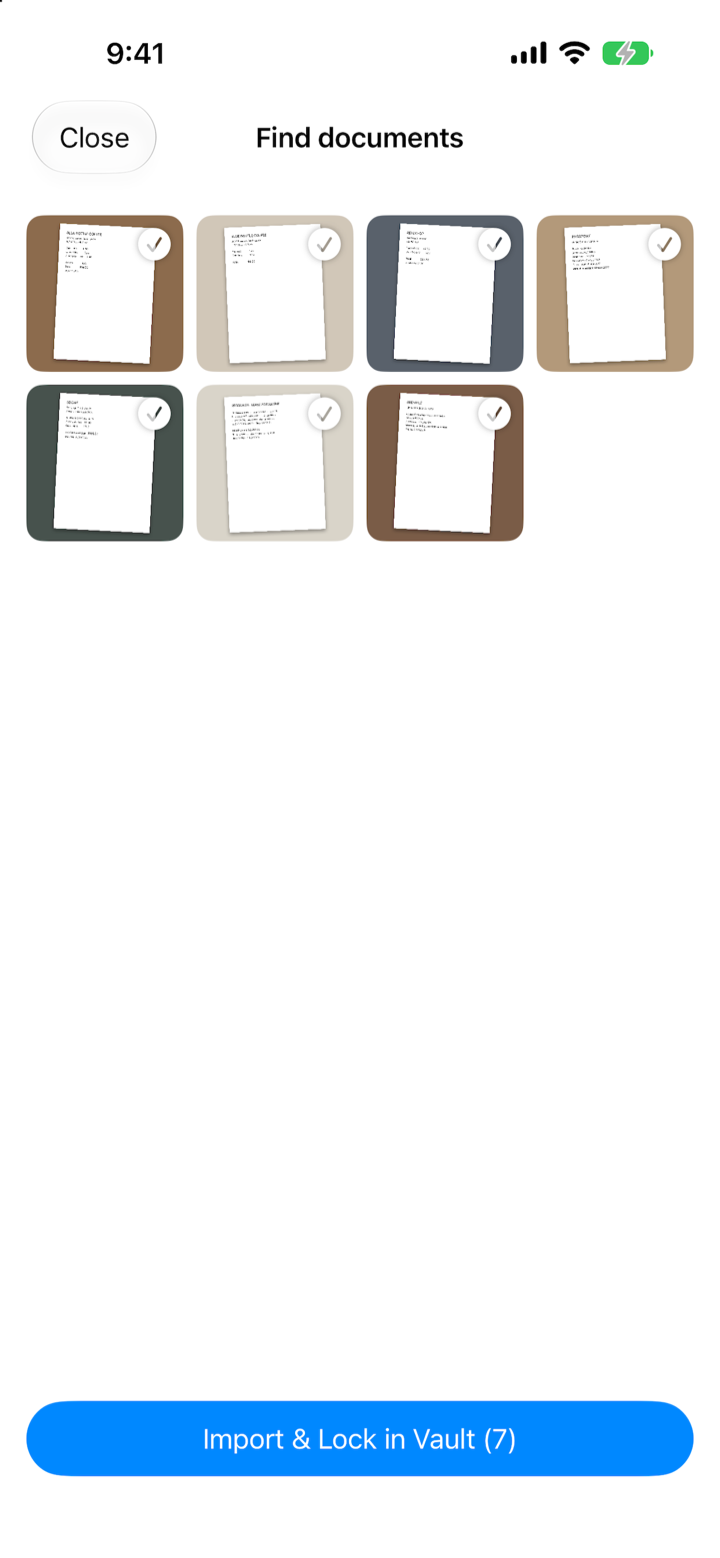
- Let Paperlock search your photos. This is the part people love. With your permission, Paperlock looks through your camera roll and picks out the documents hiding among your photos — receipts, insurance cards, letters, screenshots of confirmations. It shows you everything it found; you approve what goes in. Your photos are never changed or deleted.
- Import files. PDFs and images from email, downloads, or anywhere else on your phone.
Most people are surprised by how many documents are already in their photos. Hundreds, usually. Paperlock finds them in a couple of minutes.
Paperlock reads every document
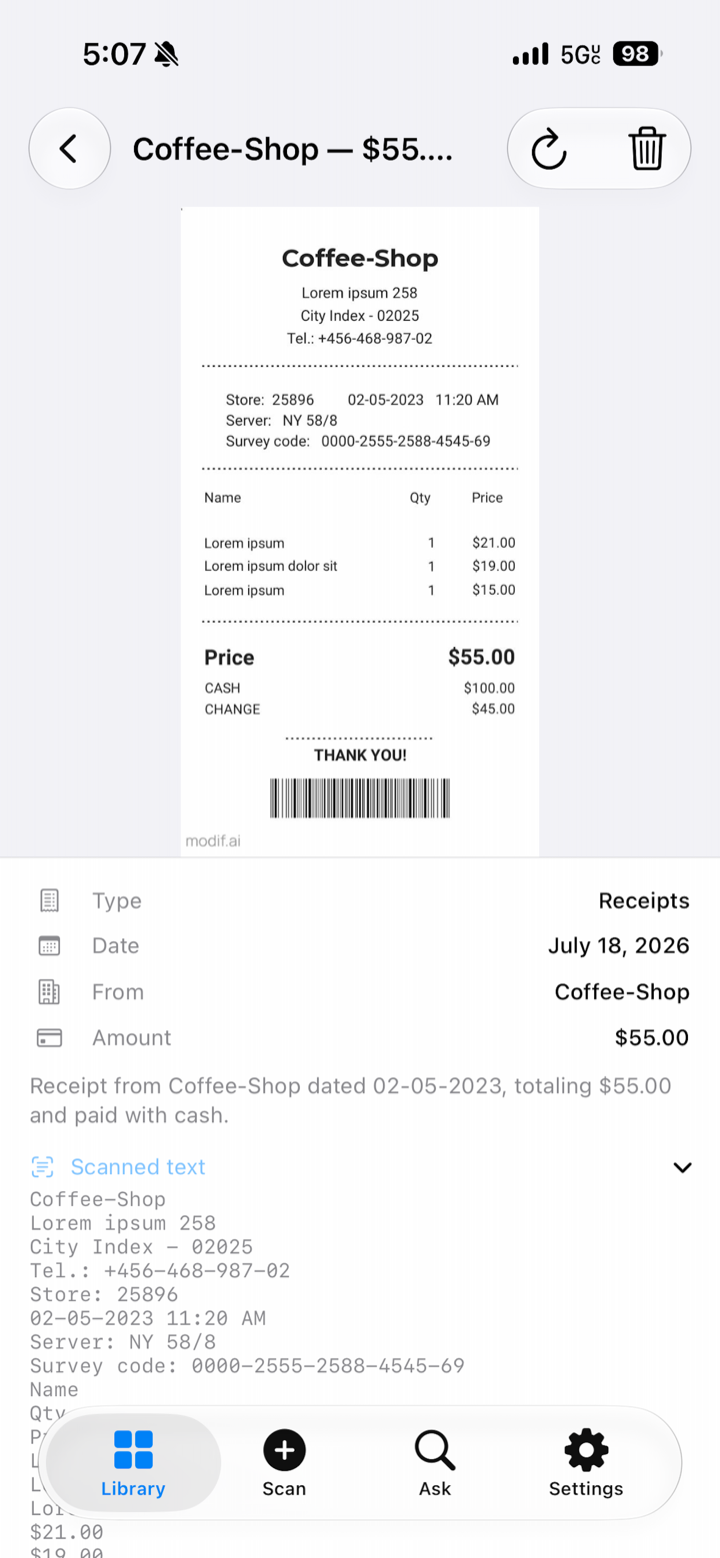
The moment a document enters your vault, Paperlock reads it the way a very patient assistant would — and writes down what matters:
- What it is — receipt, bill, lease, medical record, warranty, ticket…
- Who it’s from — the store, the company, the office.
- The important numbers — dates, amounts, totals.
- When it expires — so you get a reminder 30 days and 7 days before, automatically.
Each document gets a clear, human title like “Blue Bottle Coffee receipt — $14.20” and a tidy card showing everything Paperlock learned. No folders to create, no tags to maintain. Even handwritten notes get read.
Sensitive documents — passports, IDs, medical records — are treated with extra care: they show up blurred in your library until you confirm with Face ID.
Ask, in your own words
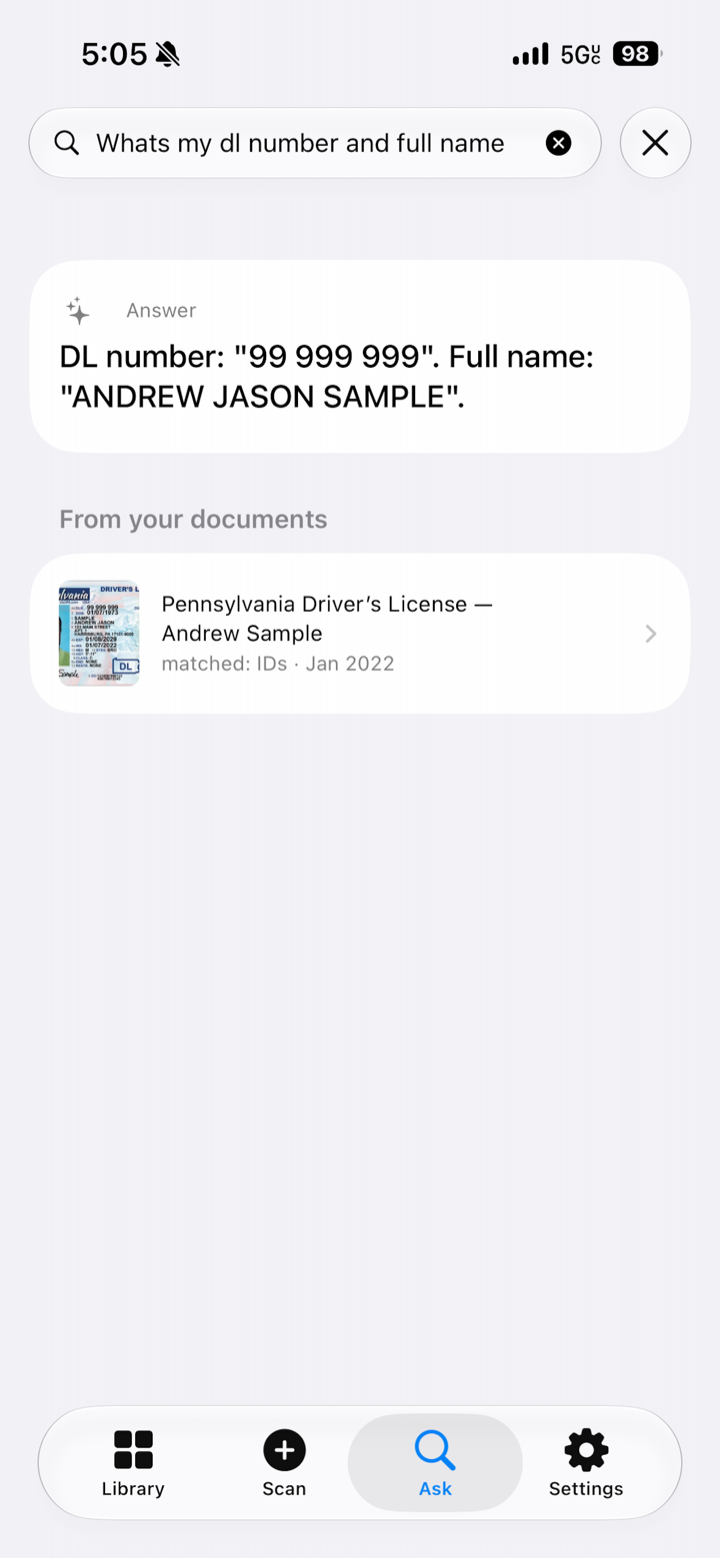
This is where Paperlock stops being a filing cabinet and starts being useful. One search box, and you talk to it like a person:
- “When does my passport expire?” → a direct answer, with the passport attached.
- “How much did I spend at Blue Bottle?” → the total, with every receipt listed.
- “Find receipts from that cafe last fall” → just those receipts, from just those months. “Last fall” works. So does “two years ago.”
- “Find the lease I scanned in September” → the lease, first result.
Every answer comes with the actual documents it came from, so you can check with your own eyes. And if the answer isn’t in your vault, Paperlock says so plainly — it never makes things up.
No internet? No problem. Basic search works offline. The smarter question-answering needs a connection, and the app tells you gently when that’s the case.
And through all of it: locked tight.
Your vault opens with Face ID, locks itself when you step away, and hides its contents in the app switcher. Documents are encrypted on your phone with the same protection Apple uses for your most sensitive data. When Paperlock reads a document, our servers process it just long enough to understand it — then forget it. Nothing is stored on our side, and nothing is ever used for training or advertising.