Coming soon
A private vault for your documents

Your paperwork, finally searchable.

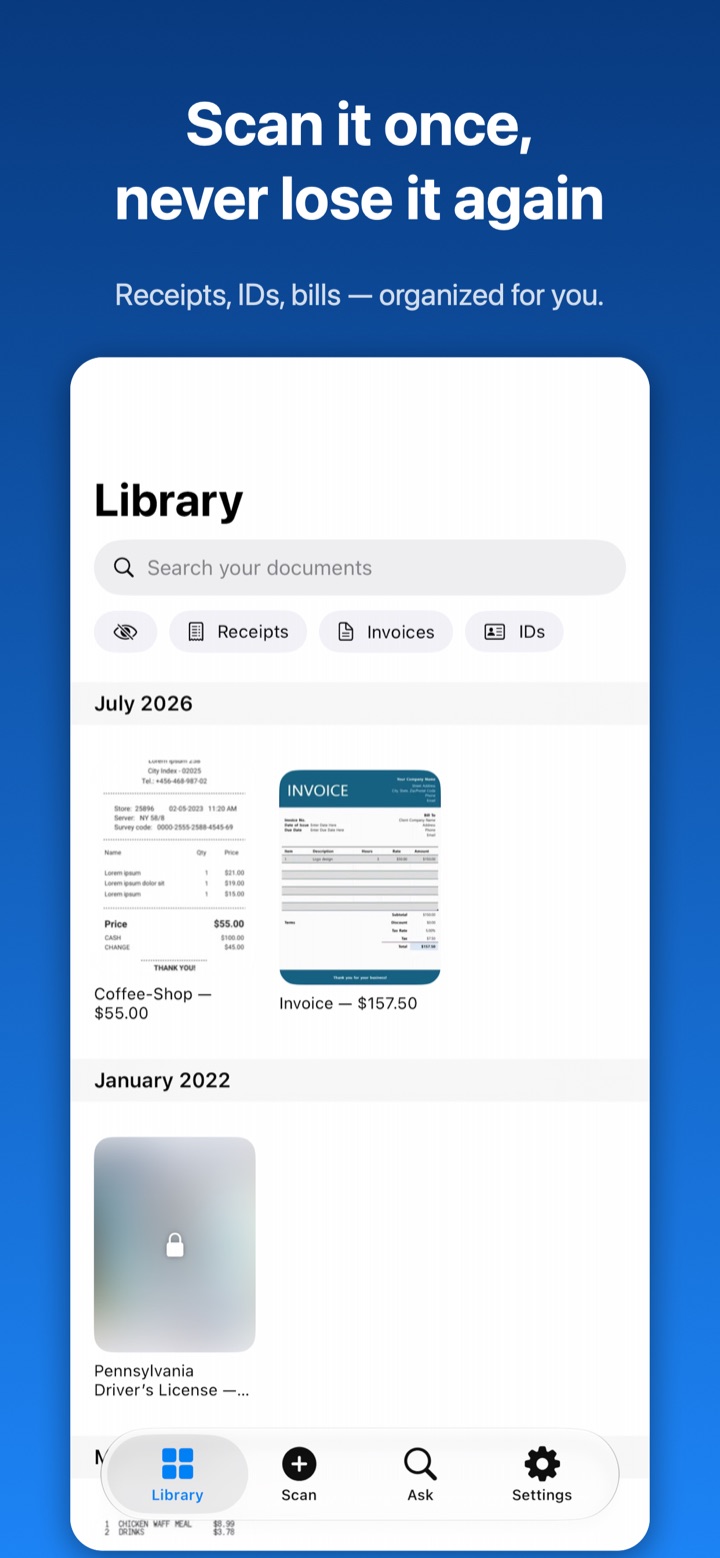
Snap a photo of any receipt, bill, contract, or ID. Paperlock reads it, files it away safely, and remembers everything — so you can just ask: “When does my passport expire?”

Locked with Face ID. Your documents stay yours — always.
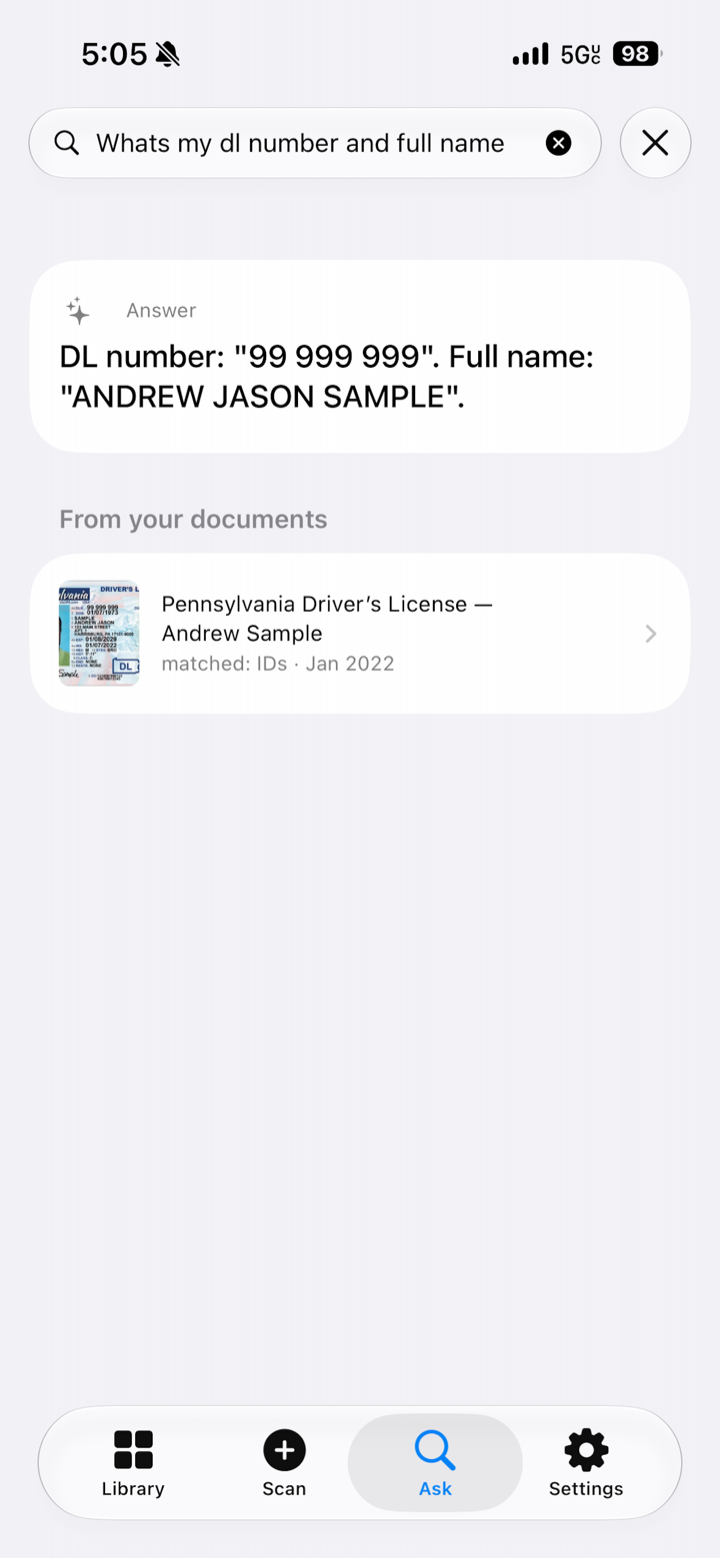
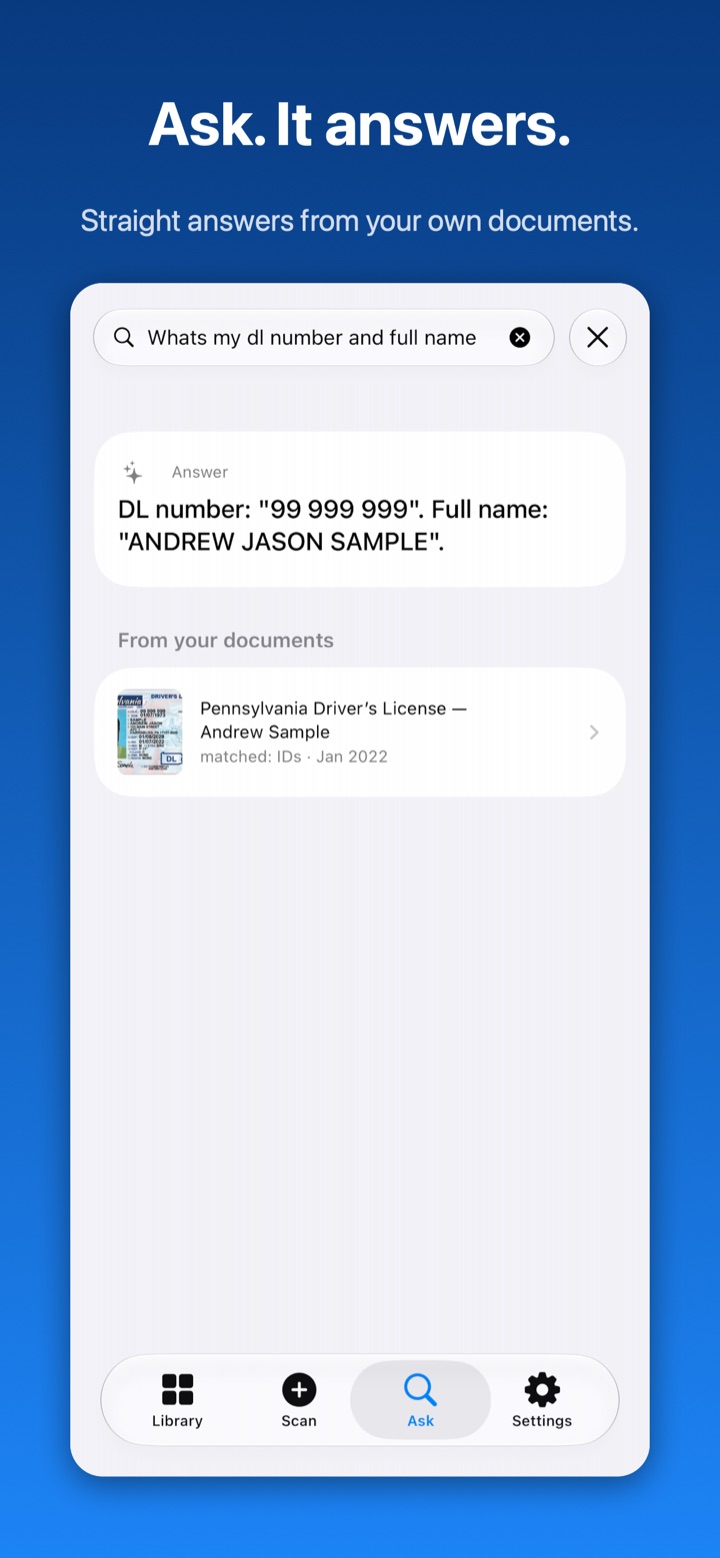
Paperlock's Ask screen answering a question with the source document attached
Sound familiar?

Your important papers are everywhere. Except where you need them.

📸

Buried in your camera roll

That insurance card is in there somewhere — between 400 vacation photos and screenshots you forgot about.

🗂️

Scattered across apps

Some papers in a scanner app, some in email, some in an actual shoebox. Finding one thing means searching everywhere.

Remembered too late

Passports expire. Warranties run out. Returns have deadlines. You find out exactly when it’s too late to do anything.

How it works

Three steps. No folders, no filing, no fuss.

1

Snap it

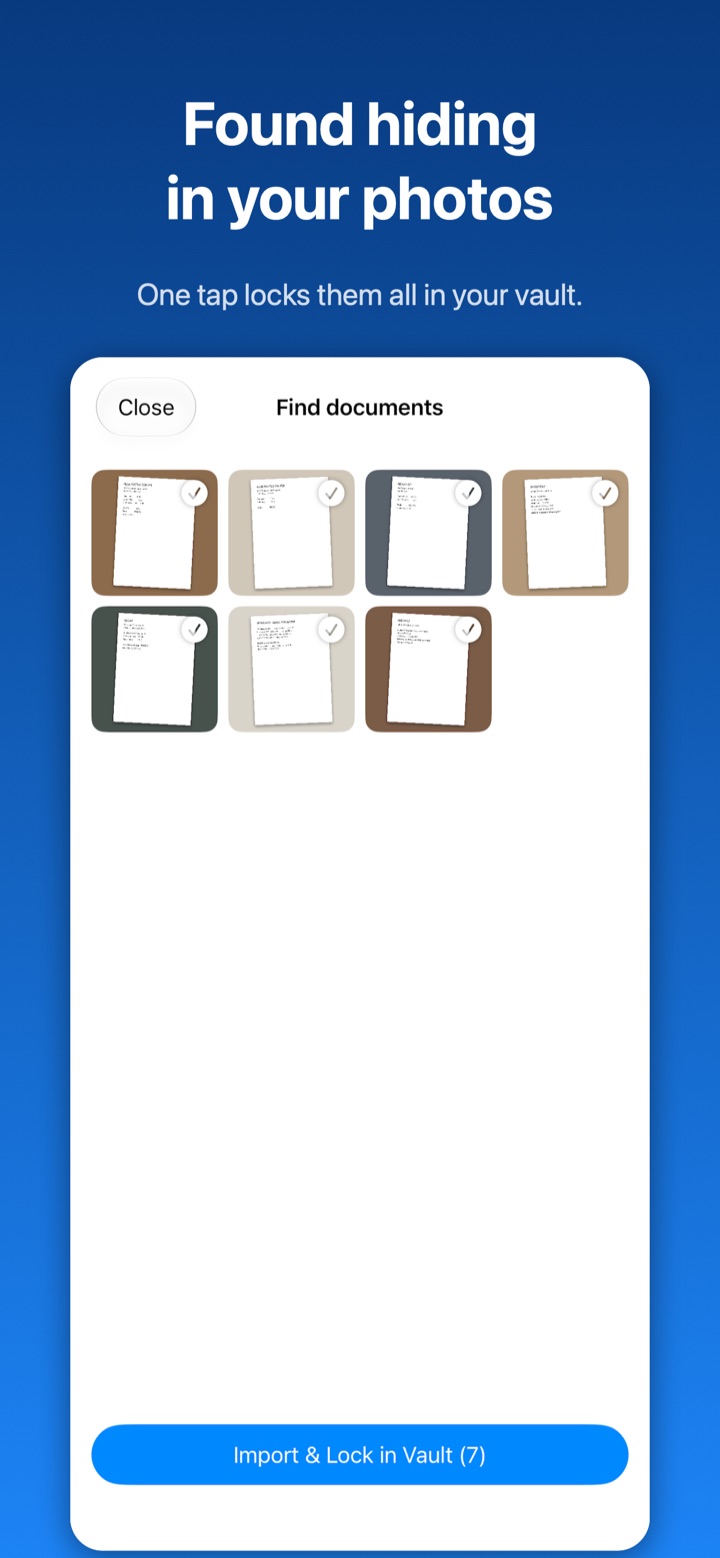
Point your camera at any paper. Or let Paperlock find the documents already hiding in your photos — it can spot hundreds in minutes.

2

Paperlock reads it

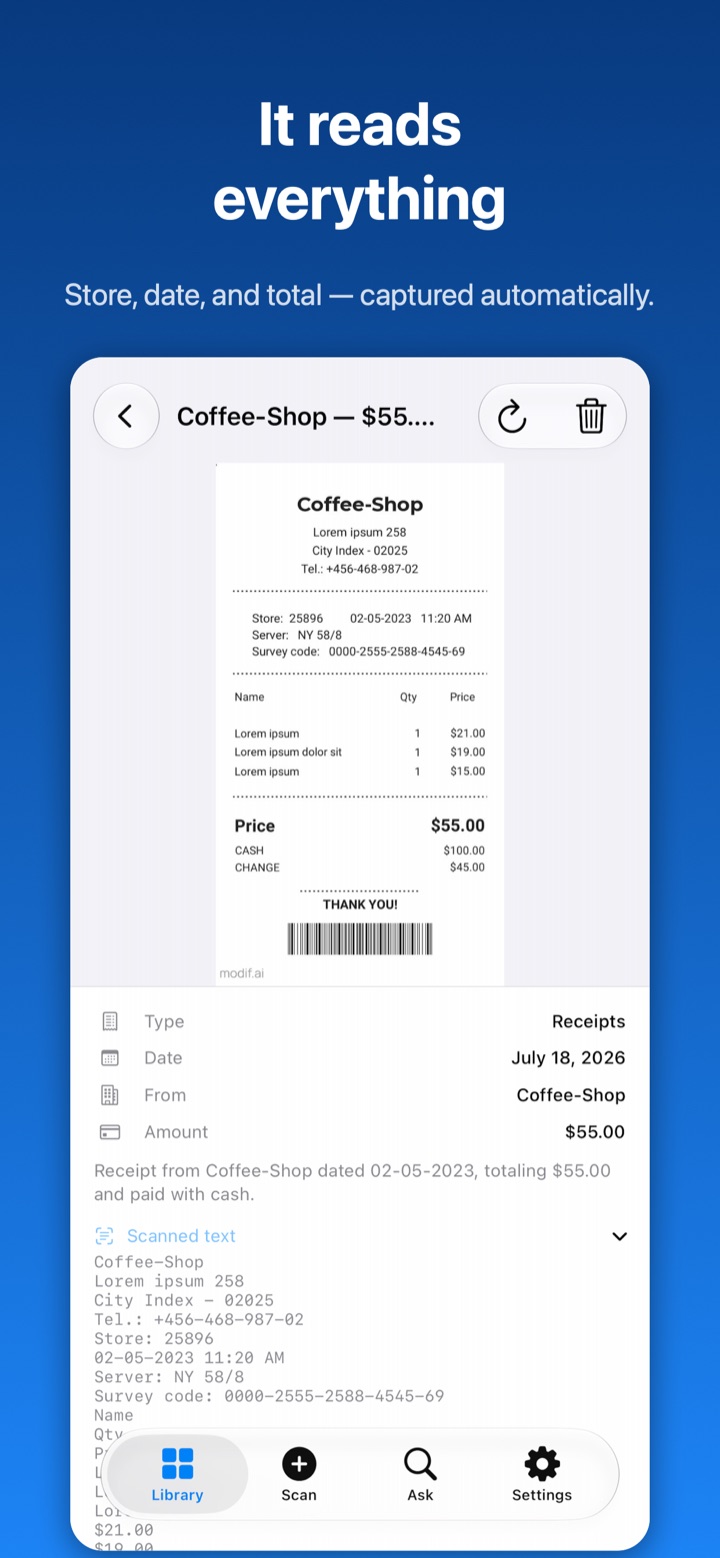
Every document is read and understood: what it is, who it’s from, the date, the amount, when it expires. Filed automatically. No typing.

3

Just ask

Ask in your own words — “find receipts from that cafe last fall” — and get the answer with the actual document attached.

Read the full walkthrough →

Ask anything

It’s like your paperwork can finally talk back.

When does my passport expire?
Your passport expires March 14, 2027. Passport attached — and you’ll get a reminder before renewal time.
How much did I spend at Blue Bottle?
$47.60 across 3 receipts. Every receipt listed, every amount pulled straight from the paper.
Find the lease I scanned last fall
Here it is — your lease from last September. “Last fall” just works. No exact dates needed.
Receipts from that cafe last fall
3 cafe receipts from September–November. Even if you never labeled a single one.
See it in action

This is the actual app.

What you get

Everything a filing cabinet should have been.

Finds papers hiding in your photos

Paperlock scans your camera roll and picks out the documents — receipts, cards, letters — from years of photos. You approve, it imports.

Reads every document for you

Type, date, amount, who it’s from, when it expires — all pulled out automatically and shown on a tidy card. Even handwriting.

Answers in plain English

No search operators, no exact filenames. Ask the way you’d ask a person, get an answer with the source document attached.

Reminds you before things expire

Passport, ID, insurance, warranty — Paperlock notices expiry dates and nudges you 30 days and 7 days ahead. No more surprises.

Locked with Face ID

Your vault opens with your face and nothing else. Sensitive documents like passports stay blurred until you confirm it’s really you.

Private by design

Everything is stored encrypted on your phone — and synced through your own iCloud only if you choose. No account to create, and we never look at your documents.

Safe as a vault

Built like it’s holding your passport. Because it is.

Most apps treat your documents like ordinary photos. Paperlock treats them like the sensitive papers they are.

  • Encrypted on your phone. Documents are stored with the same protection Apple uses for your most sensitive data.
  • Face ID on every open. The vault locks itself the moment you step away — and hides its contents in the app switcher.
  • Extra care for sensitive papers. IDs and passports appear blurred in your library until you confirm with Face ID — so nothing private shows in a glance over your shoulder.
  • Your photo library is safe. Paperlock only ever reads from your photos. It never deletes or changes anything.
“Your documents are yours. We never train on them, sell them, or look at them.” Our promise, word for word, on the first screen of the app — and in our privacy policy.

No account. No sign-up. Paperlock works the moment you open it. There’s no profile of you on our servers, because there are no user accounts at all.

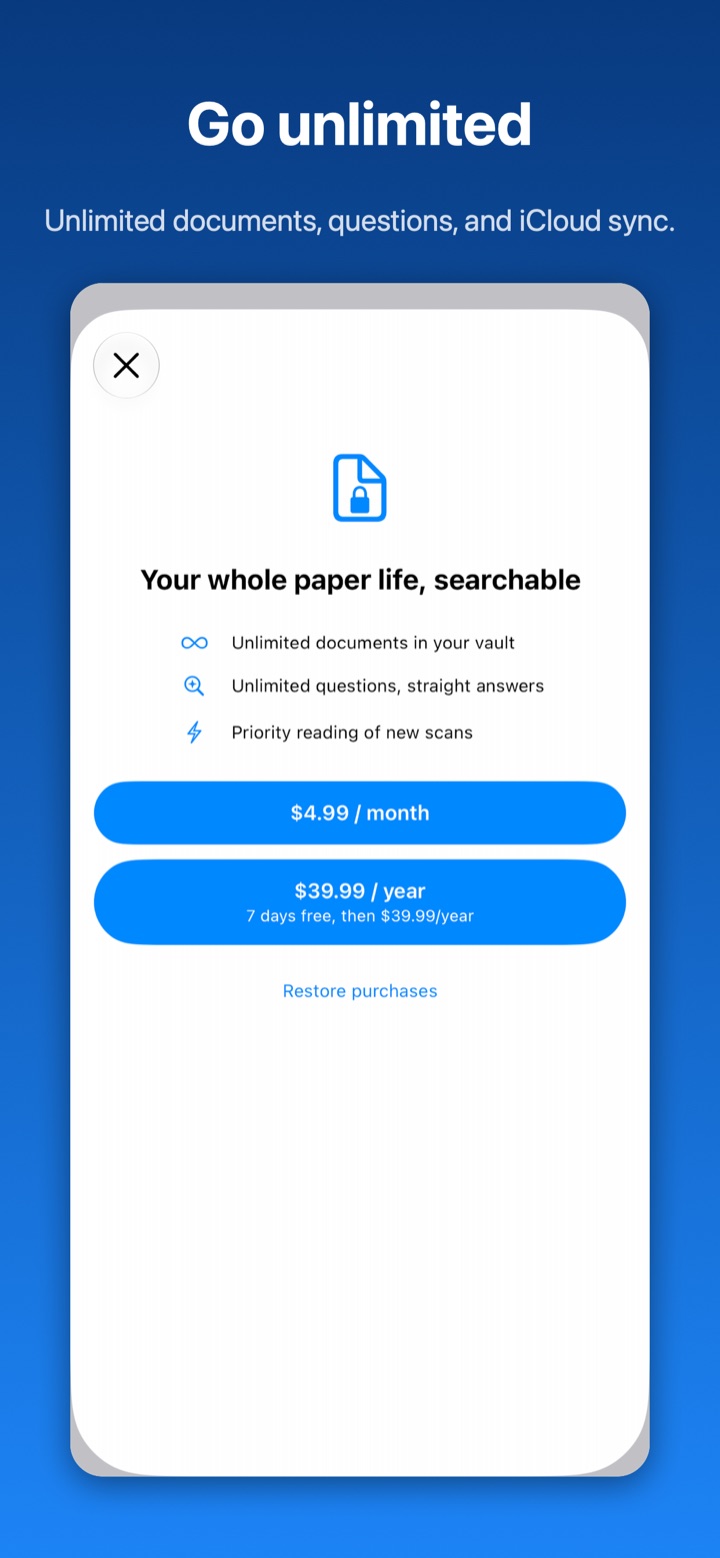
Pricing

Try it free. Upgrade when it earns it.

No credit card to start. No fake countdown timers. Cancel anytime in your App Store settings.

Free

$0
forever
  • Keep 25 documents in your vault
  • 10 questions to try asking
  • Face ID lock & full encryption
  • Camera scanning & photo import

Enough to see the magic for yourself.

Questions

Fair questions, straight answers.

Is Paperlock safe for things like my passport and ID?

Yes — that’s exactly what it’s built for. Documents are encrypted on your phone, the app locks with Face ID, and sensitive papers stay blurred until you confirm it’s you. And we never see your documents.

Do I need to create an account?

No. There are no accounts, no passwords, no sign-up emails. Download it and start scanning.

Will it mess with my photo library?

Never. Paperlock only reads your photos to find documents, and only with your permission. It copies what you approve into the vault — your original photos are never deleted or changed.

What happens to my documents when Paperlock reads them?

Reading happens partly on your phone and partly on our servers, over an encrypted connection. Our servers process a document just long enough to understand it, then forget it — nothing is stored there, and nothing is ever used for training or advertising.

When is it coming out?

Paperlock is in development now and coming soon to the App Store for iPhone. Check back here — this page will have the download link the day it launches.

More questions answered →

Coming soon

Never lose a piece of paper again.

Paperlock is coming soon to the App Store for iPhone. Free to try — with room for every paper you own.

Questions? Get in touch